Fusion Drive On My 2010 MacBook Pro
How to configure Fusion Drive on MacBook Pro (2010)
 Henry Wang
 Apple released a new technology - Fusion Drive at Apple Special Event on Oct 23, 2012. This’s so excited for me that I can add this new technology into my 2010 MacBook Pro. I upgraded my MBP last year by removing optical drive and installing a 160GB Intel SSD 320 series instead. So my MBP meets the requirement to make a Fusion Drive.
I’ve been warried whether Fusion Drive was compatible with my old MBP. After reading @jollyjinx’s blog post Fusion drive on older Macs? YES!, I decided to give it a try on my old MBP.
Here’re the step by step Fusion Drive installation procedure.
Create a Mountain Lion installation boot disk
Just follow How to create a bootable, backup Mountain Lion install disk to make one.
I chose 8GB SanDisk Extreme SD card as my boot disk. Both MBP and Mac mini could boot from SDXC card slot.
Create Fusion Drive
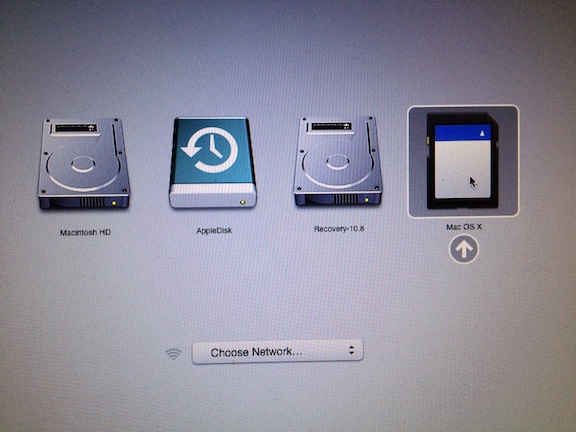
Boot from SD card and enter into recovery mode:
 Open Terminal utility.
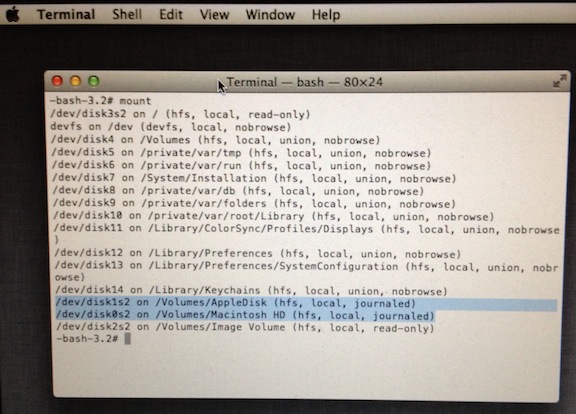
Find my SSD and HDD drive name:
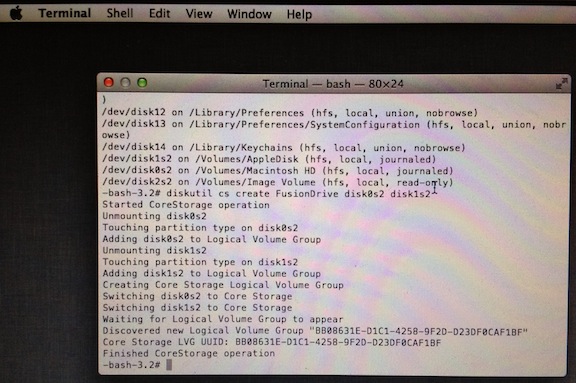
Create logical volume, please remember the CS LVG UUID, it will be a parameter of volume creation command.
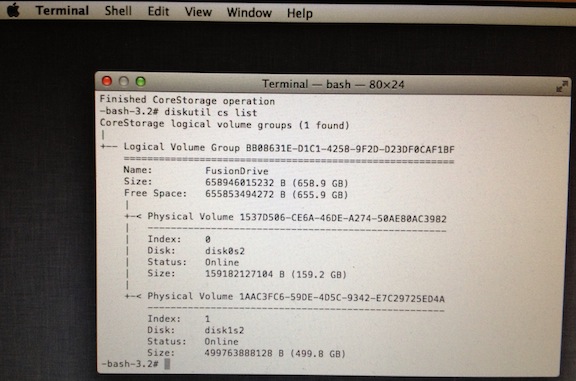
Check the logical volume group I just created.
Create and format the volume.
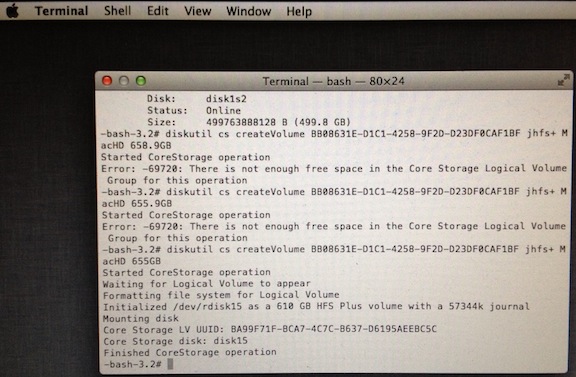
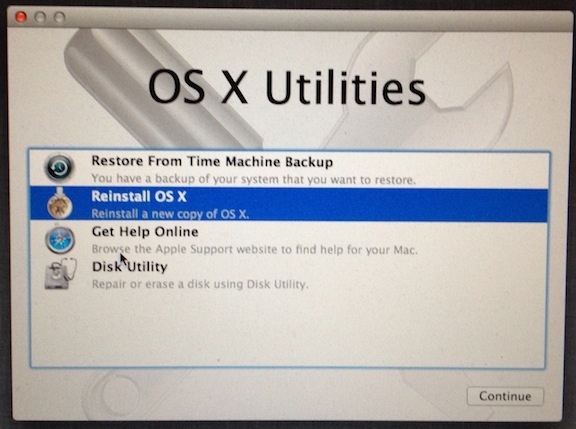
Exit Terminal app and Install OS X.
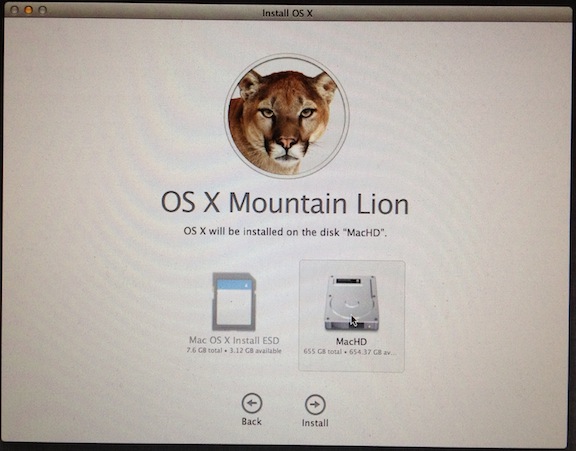
Choose the newly created disk to install OS X.
Done!
BTW: I found most of the data were copied into SSD first when I restored backup data and installed app.
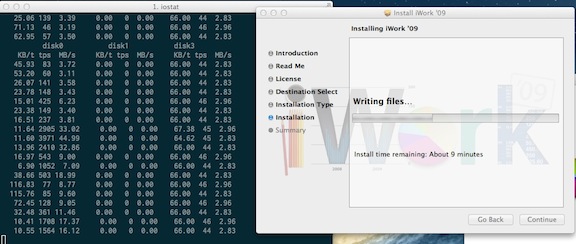
disk0: SSD, disk1: HDD, disk3: mounted iWork installation disk.